
Kitchen Orders The line reads one board, whoever placed the order.
Every channel lands on the same production queue. Tickets print at the right station without anyone tapping print.
What’s included
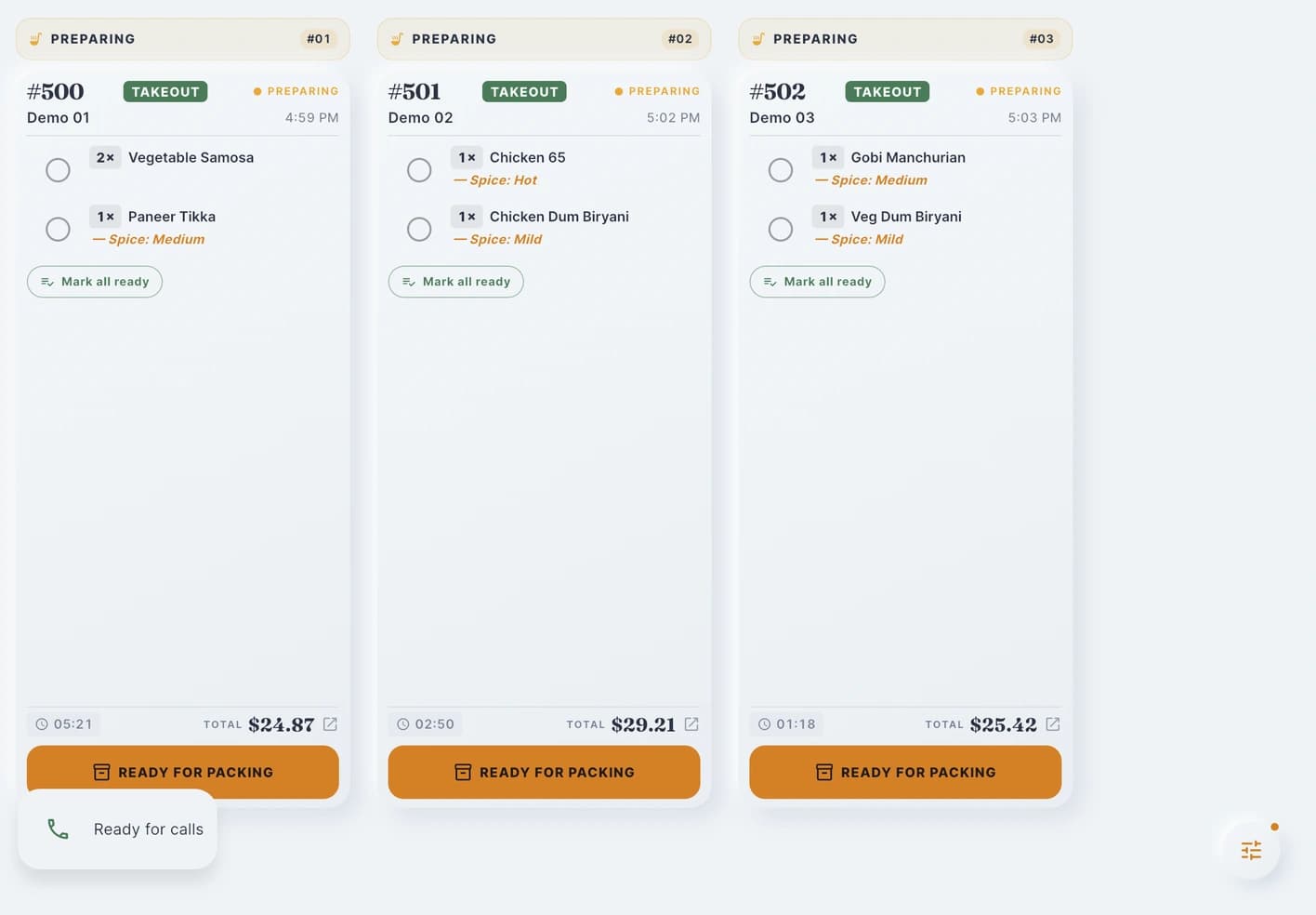
Cooks can follow the order details and mark their progress.
The board
- Live order board on tablet or TV
- Tickets from phone, QR, online and counter in one queue
- Rush flagging that moves a ticket up the line
- Undo-ready when a ticket is bumped early
Printing where it belongs
- Per-station routing: kitchen, expo, bar, receipt
- Kitchen tickets auto-print on submit
- Printer IP stability monitoring so a moved printer is noticed
- Reprint a ticket without touching the order
Flow rules
- Auto-advance rules per order type
- Prep-time rules that set a realistic ready time
- Batch mark-paid at the end of a rush
Screens
- Pair a kitchen tablet with a code
- Order-status screens guests can read from the counter
Step 3 of 6in one order’s life
The kitchen gets the details.
Tickets print for the right station and show on the kitchen board with spice levels and changes. The menu and stock stay in step with what you can actually serve.
Follow the whole orderSee it on your menu
See RestCall on your menu.
Book a demo and we’ll walk you through how RestCall would take phone orders for your restaurant.